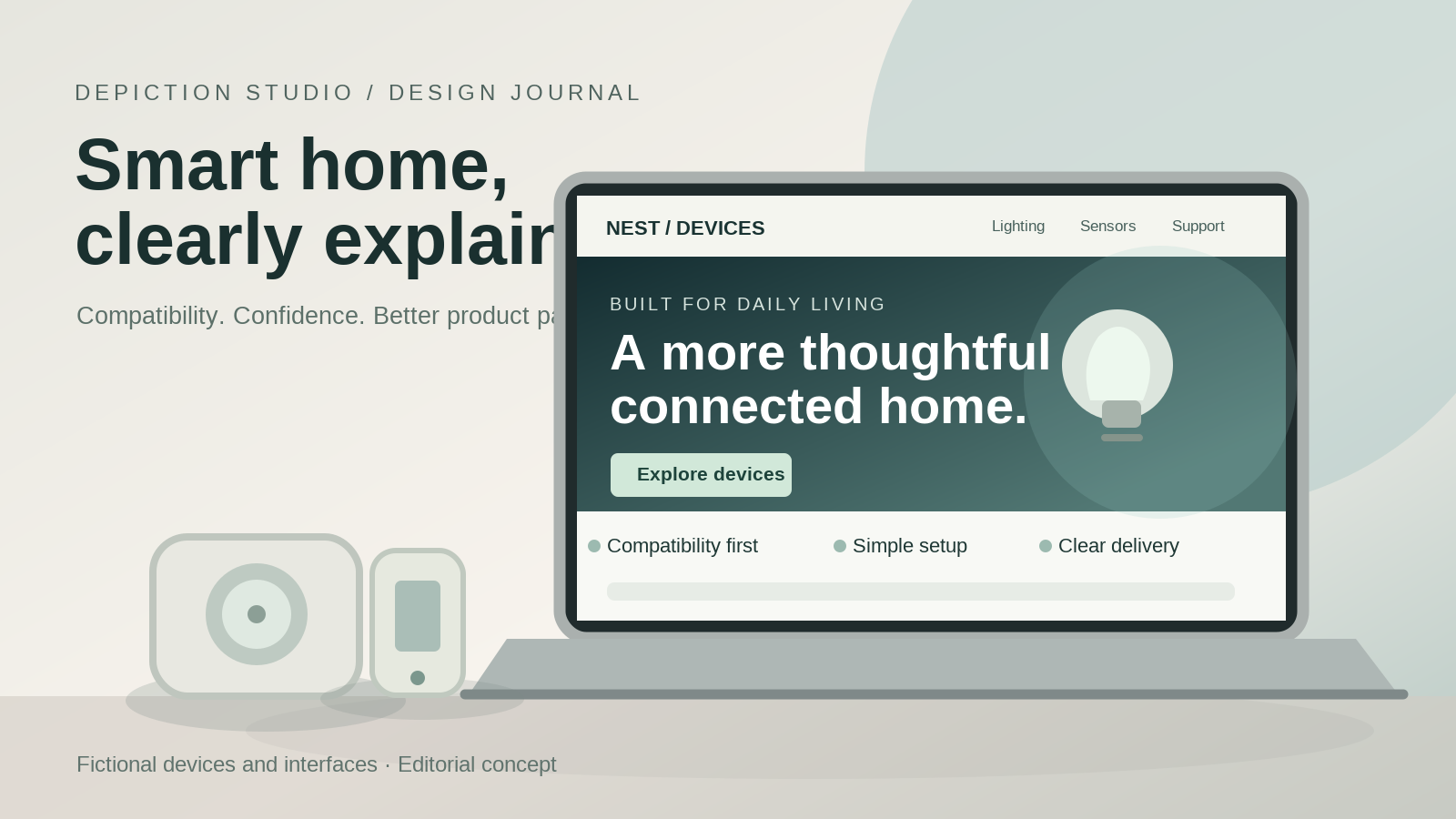
Connected-home products are often marketed with an attractive promise: make everyday life simpler. But the shopping experience can be anything but simple. Before buying a sensor, smart plug or connected light, a customer may need to confirm the supported platform, network requirements, hub dependencies, voltage, regional availability and installation process. Beautiful photography does not answer those questions.
Apple introduced HomeView on October 13, 2026 and announced availability in selected markets on November 13. The seven-inch home device combines entertainment, communication and smart-home management. Its arrival is a useful editorial prompt for the design of specialist ecommerce stores: as household platforms evolve, shoppers need better product education—not simply another device badge.
This article is about smart home website design and practical ecommerce information architecture. Depiction Studio is not affiliated with Apple. HomeView’s release is not evidence that any particular accessory works with HomeView, nor does press coverage prove demand for a design service. Compatibility must be established from the exact device model, firmware and authoritative manufacturer specifications.
The new consumer interface changes the questions shoppers ask
A consumer who first encounters smart-home technology through a household screen may not understand the difference between a control platform, a wireless protocol and a transport network. “Works with my phone” is not the same thing as “works with my chosen controller without an additional hub”. A store should translate these differences into purchase decisions without burying every visitor in engineering terminology.
HomeView is a helpful example because Apple's announcement places personal experiences, household control and supported smart accessories together in a single interface. The retail design implication is not that all smart devices became universally compatible; it is that customers may arrive with an ecosystem in mind and expect the merchant to explain exactly which products support it.
For a retailer, the product discovery funnel therefore needs two routes. Shoppers who know the type of device can browse by task—lighting, security, temperature, presence sensing or power control. Shoppers who know their existing technology can browse by verified ecosystem or connection method. Both routes should reach the same accurate product information.
Compatibility comes before visual polish
Think of a connected-device listing as a small technical contract. The product must work in the buyer's region and installation environment, support the advertised functions and come with understandable setup requirements. The store can look refined while still being dangerously vague about any of those conditions.
A label saying “smart-home compatible” conveys almost nothing on its own. Better information distinguishes a device that is verified for a specific ecosystem from one that needs a separate bridge, an app account or a certain radio network. If the supplier provides no validated compatibility table, say “compatibility not confirmed” rather than adding speculative badges.
The Connectivity Standards Alliance describes Matter as a standard intended to improve interoperable smart-home experiences. But Matter is not a synonym for every smart-home capability, and a Matter label alone does not disclose every feature, device category, controller requirement or regional restriction. Technical pages should distinguish Matter certification and device support from Wi-Fi, Thread and other connectivity details where those distinctions are relevant.
Likewise, do not automatically claim “Works with Apple Home” just because a product appears in a general list of smart accessories. Verify exactly what a manufacturer and the relevant platform officially support for that model. This is especially important for returns and customer-support expectations.
Five product-page modules for connected devices
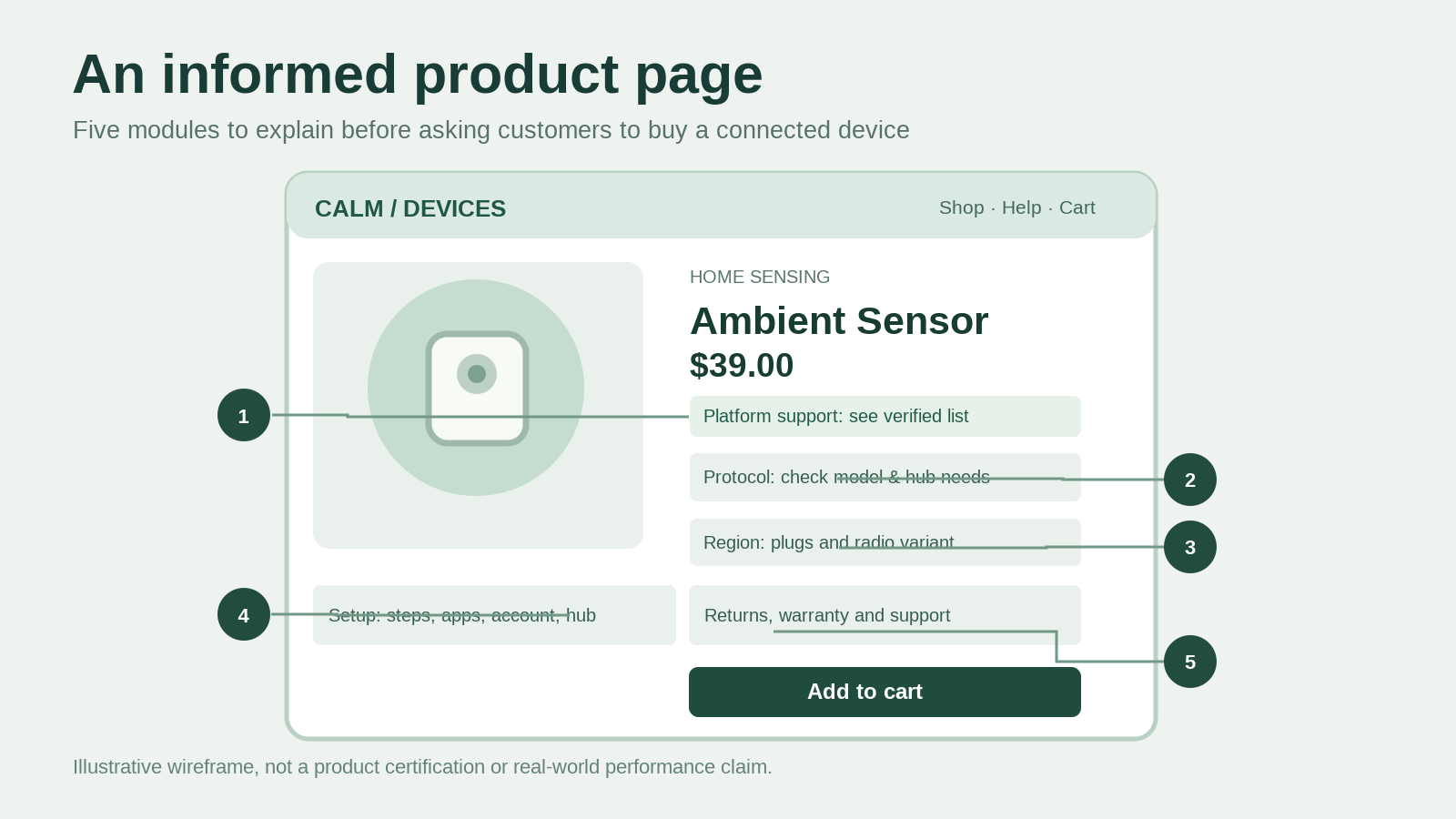
These five modules form a practical product detail page, or PDP, template. The order is deliberate: suitability first, operating requirements next, installation guidance next, commercial reassurance last. A customer should not have to open five separate tabs to establish whether the product will work.
1. Verified ecosystem compatibility
Place the support information close to the product title and purchase controls. Use a concise summary, such as “Supported platforms: see verified list”, leading to a detailed panel. Name the platform and specific supported integration where documented. If there are restrictions by firmware or hub model, show them visibly. Do not treat an ecosystem logo as a decorative trust badge.
2. Protocol and network requirements
Show supported protocols and distinguish network transport from control interoperability. For example, a device may use a particular Wi-Fi band or need a Thread border router; another may require a proprietary bridge. The precise facts must come from the SKU's own technical documentation. Avoid presenting unverified technical requirements as general rules for all devices using the same marketing category.
3. Region, power and physical constraints
List applicable plug types, operating voltage, wireless-region variants, product dimensions, installation location and environmental ratings. A smart plug that physically cannot fit a socket is not a suitable purchase, however elegant its product page appears. For region-restricted services or ecosystems, explain availability in the context of the shopper's market.
4. Setup steps and what is included
Present setup as an ordered checklist: unbox the device, check the network or hub requirements, install the appropriate app if required, pair it, confirm the supported functions, then troubleshoot common issues. Make clear whether a phone, account, bridge, subscription or electrician is required. State what is and is not included in the box.
5. Returns, warranty and actual support
Show return periods, regional warranty limitations, shipping policies, genuine support channels and any exclusions. The buyer should understand what happens if a device fails to pair or requires a capability their setup lacks. Information belongs near the purchase decision, with deeper detail available behind an accessible disclosure control.
A useful filter architecture: platform, protocol, power and region
The category navigation should offer meaningful choices without overwhelming the first screen. Treat each filter as structured, maintained catalogue data rather than a visual checkbox that marketing staff assign informally.
- Device role: sensors, switches, plugs, lighting, controllers, cameras and other true product categories.
- Verified platform: approved ecosystem compatibility only, with model or firmware notes where needed.
- Connectivity: Wi-Fi band, Thread, Zigbee, Bluetooth, proprietary hub or another genuinely applicable technology.
- Power and form: mains, battery, USB, plug type, voltage range, wired or wireless installation.
- Region: shipping destination, electrical specification, radio-region variant and service availability.
- Use case: automate a lamp, monitor a room, schedule power, receive alerts or manage heating—only where supported.
A filter should never imply more certainty than the underlying catalogue data. Use “Unknown” internally for missing specifications; do not quietly translate missing information into “compatible”. If a critical fit requirement is unverified, an explicit warning or a request to confirm with support may be better than a misleading purchase CTA.
For a merchant with fewer than twenty products, fewer high-quality filters may outperform a complex interface. For a broader catalogue, consider dependent filters: when a shopper selects a platform, present only combinations that remain valid. Test empty-result states and explain why a device disappeared instead of making users restart their search.
Product comparisons should explain differences, not just prices
Two smart sensors might look nearly identical in a product grid but vary in connection requirements, reporting intervals, included hardware, or support for particular automation features. A comparison view should align comparable specifications in rows and avoid unsupported “best” labels. When the data is missing, show an honest dash with a note, not a fabricated feature.
Make comparisons readable on mobile. A compact two-product view or horizontally scrollable table with persistent product names is usually more useful than shrinking a wide desktop comparison until no text can be read. Each comparison should offer a direct route to the full product page and the exact relevant installation documentation.
Mobile QA, accessibility and trust signals
Mobile visitors are frequently entering from search results, videos or a specific product link. Check whether they can identify compatibility and price without opening a desktop-only table. Test the page with large text settings, narrow viewports, keyboard navigation and assistive technology. Icons need accessible names and cannot be the sole way to communicate compatibility.
A practical quality-assurance pass should cover the following:
- Can a customer distinguish verified compatibility from marketing language?
- Are model numbers, firmware conditions and regional constraints discoverable?
- Do product filters show their selected state, and can shoppers clear them?
- Can the buyer understand setup prerequisites from a single mobile product page?
- Are comparison tables and expandable technical panels usable by keyboard?
- Are return, warranty and support details readable before purchase?
Use the W3C accessibility guidance as a reference for contrast, non-text alternatives, focus and control labels. For page performance, optimise oversized product media and test both synthetic and real-user signals rather than assuming visual smoothness from a fast studio laptop.
Trust comes from accurate information, not an excess of badges. Real reviews may help shoppers assess installation difficulty if they are authentic and appropriately moderated. Unsupported certification marks, invented testimonials or a decorative “secure” emblem can undermine the confidence the layout is meant to create.
What Depiction Studio's smart-home designs can teach
Depiction Studio maintains a Smart Home Shopify store design category with a connected-device retail example, The Smart Home World. This is an invitation to examine a visual direction for a specialised store—not evidence of measured conversion outcomes or proof that every interactive detail is ready for live ecommerce operations.
The useful design lesson is category fit. A smart-home store benefits from calm visual hierarchy, careful product imagery and distinct routes to compatibility and setup details. A polished concept shows how the store could feel; a production build still requires verified catalogue data, working integrations, tested commerce behaviour and a documented support process.
Compared with a fashion store, where size, fit and fabric are key choices, smart-home buying decisions involve ecosystem and electrical constraints. The core visual design principles may be shared, but the decision information is not interchangeable. Building a specialist website means understanding what the customer must know before purchasing.
How to implement without creating a data-maintenance burden
Begin with a small catalogue pilot. Choose five representative device types, create a structured specification sheet for each and identify the official source of every compatibility claim. Build one reusable PDP module set and one filter system. Review these with a support representative or technical specialist before expanding the pattern across the catalogue.
Then plan ownership of updates. A manufacturer firmware update or discontinued hub can make yesterday's information incomplete. Assign responsibility for reviewing model support, sourcing technical documentation and correcting listings. A store cannot solve stale technical data with a beautiful UI alone.
Measure practical outcomes: fewer pre-purchase compatibility questions, clearer self-service resolution and better quality of product-selection interactions. These are evaluation objectives, not promises of results. Verify measurement design before attributing any sales changes to the new page structure.
Frequently asked questions
What should a smart-home Shopify store product page include?
At minimum, verified platform compatibility, connection and hub requirements, regional and power specifications, installation steps, included components, price, delivery, returns and support. Show the most important suitability information near the product choice.
How should a website explain Matter and Apple Home compatibility?
Describe Matter accurately as a smart-home interoperability standard and distinguish it from network technologies. For each SKU, use official manufacturer and platform compatibility statements. Do not assume all Matter-labeled products expose every possible function on every controller.
Does the Apple HomeView launch mean a product will work with it?
No. Apple's product release does not establish compatibility for a third-party device. Verify the precise accessory model, supported ecosystem, network prerequisites and region through authoritative product documentation.
Design for the buying questions that matter.
Explore our smart-home design concepts and discuss a tailored build that makes device compatibility and purchase decisions easier to understand.
Explore Smart Home Shopify designs ↗